

En esta guía, recorreremos un caso real gravemente dañado Reparación de iPhone 13 Pro sin señal caso en el que el dispositivo fue literalmente atropellado por un coche. Aprenderá a diagnosticar firmware de banda base ausente, restaurar almohadillas dañadas de capa intermedia, evaluar fallos de Face ID, reemplazar el marco central y gestionar la calibración de la cámara utilizando las herramientas REFOX y RP30.
Mira el video completo de reparación aquí:
Evaluación Inicial: Más Allá del Daño Cosmético
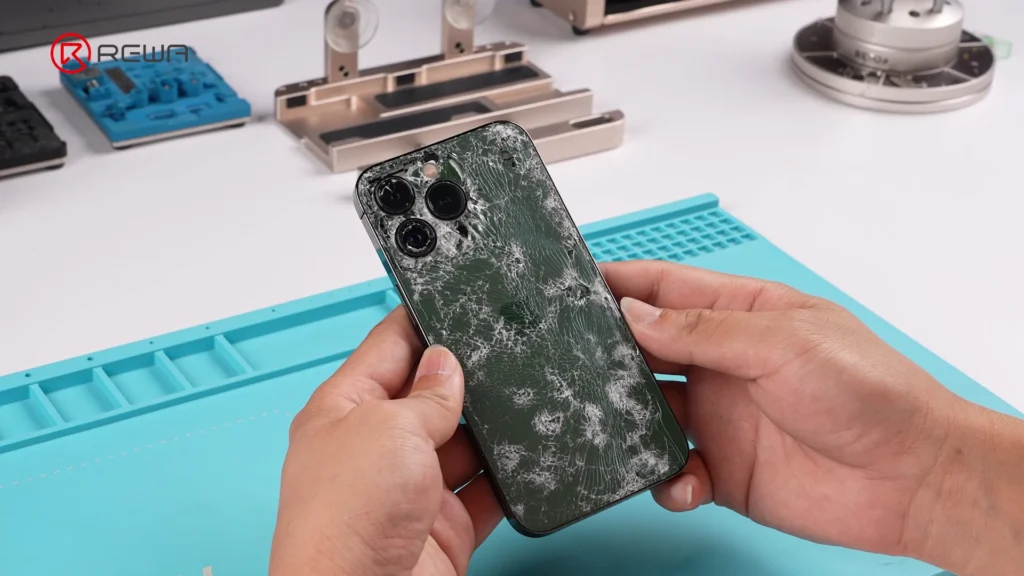
Antes de abrir el teléfono, los problemas ya eran obvios:
- Marco de acero inoxidable agrietado y doblado
- Pantalla frontal completamente destrozada
- La carcasa de la cámara trasera se hundió
- Placa lógica contaminada con residuos
- Señales de hinchazón de la batería
- Impacto trasero del cristal alrededor del área de la lente
Lista de Herramientas y Repuestos
Herramientas
- Set de destornilladores de precisión
- Herramientas de palanca de plástico
- Pinzas
- Microscopio
- Pistola de calor / estación de soldadura de aire caliente
- Plataforma de desoldadura / precalentador
- Soldador y trenza desoldadora
- Pasta de soldar de temperatura media
- Flux
- Lámpara de curado UV
- Bolígrafo de amolar
- Limpiador de PCB
- Dispositivo de prueba de placa lógica de iPhone
- REFOX cable de reparación (para calibración de cámara)
- Dispositivo de diagnóstico RP30 (para herramientas de serialización de Face ID y cámara)
Repuestos
- Pantalla compatible con diagnóstico (REWA o equivalente)
- Batería compatible con diagnóstico
- Módulo de cámara trasera OEM
- Nuevo ensamblaje de bastidor medio
- Espuma térmica y almohadillas térmicas
- Juegos adhesivos y algodón a prueba de polvo
- Cristal trasero de reemplazo (opcional)
Proceso de reparación paso a paso
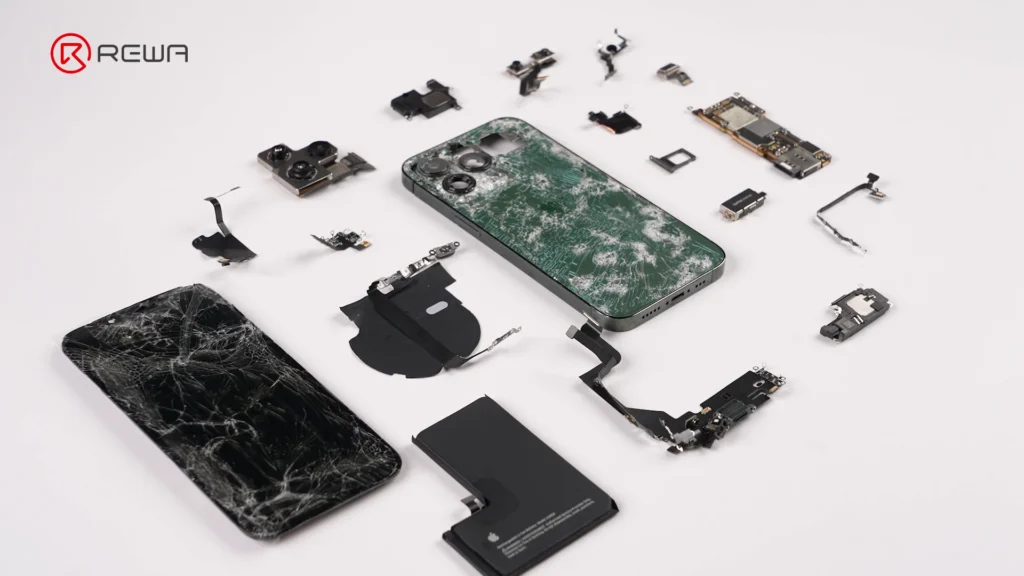
Desmontaje y Mapeo de Daños
Comenzamos retirando la pantalla rota y desconectando todos los cables flexibles internos.
En el interior, descubrimos:
- Soporte de cámara desprendido
- Conector del Taptic Engine dañado
- Tornillos y soportes corroídos
- Un cuadro central gravemente doblado
Es necesaria una revisión completa para evaluar cada módulo.
Comprobación del sistema – Una tormenta de errores
Dentro de los diagnósticos de iOS, vemos:
- Mostrar → Parte desconocida
- Cámara → Pieza desconocida
- Batería → Servicio, baja capacidad
- Módem Firmware → Perdido
- Sin señal celular
- Wi-Fi no disponible
- Bluetooth no disponible
- Cámara trasera atascada (sin 0.5× ni 3×)
- TrueDepth/Face ID completamente no responde
Cuando un iPhone 13 Pro muestra firmware del módem faltante, sin Wi-Fiy sin Bluetooth, casi siempre significa una cosa:

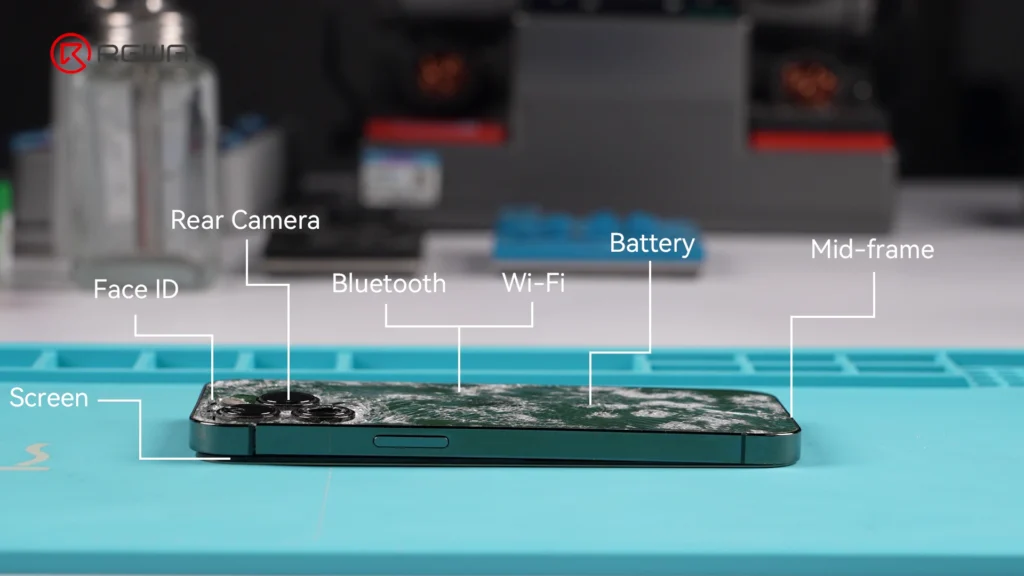
👉 Daño en la capa media de la placa lógica.
Es hora de profundizar.
Inspección de la placa lógica
Bajo el microscopio, verificamos:
- Área de PMIC
- Conectores de pantalla
- Blindaje de banda base
- Uniones soldadas de capa intermedia
Afortunadamente, la placa lógica todavía está reparable, y solo requiere limpieza y varias correcciones menores de conectores.
Enderezado del marco central
El marco estaba tan retorcido que impidió la alineación de los componentes.
Usando equipo profesional de alisado, nosotros:
- Calienta el marco
- Reforma puntos de presión de la esquina
- Restaurar la planitud para la instalación de pantallas
Este paso es crítico para asegurar el sellado impermeable y el ajuste de la pantalla.
Reemplazo de batería y módulo interno
Para garantizar la fiabilidad, reemplazamos:
- La batería hinchada
- Altavoz estropeado
- Módulo de cámara trasera dañado
- Ensamblaje de pantalla agrietada
Todos los componentes están alineados con la calibración de fábrica.
Resultado final
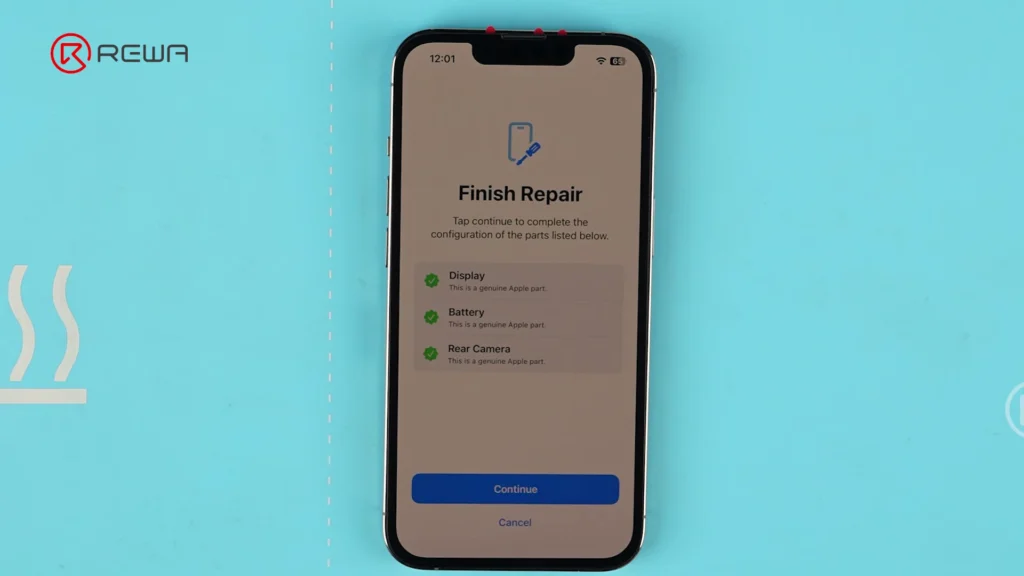
Después de horas de trabajo a nivel de placa, microsoldadura, reconstrucción del marco y serialización de la cámara, el iPhone 13 Pro vuelve a la vida, menos el Face ID.
- Módem → Restaurado
- Señal → Restaurada
- Wi-Fi → Restaurado
- Bluetooth → Restaurado
- Cámara → Funcionando perfectamente
- Batería → Calibrada
- Pantalla → Emparejado
- iOS → Actualizado
- Face ID → Perdido permanentemente (CMOS IR agrietado)
Coste total de la restauración: ~$260.
¿Valió la pena guardarlo?
Para un teléfono aplastado por un coche, absolutamente.
Preguntas frecuentes
¿Se puede reparar un iPhone 13 Pro con daños estructurales severos?
Sí. Con enderezamiento del marco, reemplazo de módulos e inspección cuidadosa de la placa, la mayoría de las unidades gravemente dañadas pueden restaurarse.
¿Reemplazar la carcasa afecta Face ID?
No directamente, pero una alineación incorrecta sí puede hacerlo. Siempre revise el flex de Face ID y el proyector de puntos antes del reensamblaje.
Las partes que se dañan con más frecuencia en un iPhone 13 Pro con pantalla rota son: * **Pantalla:** Es la parte más obvia y comúnmente dañada en cualquier caída que resulte en grietas. * **Marco o Carcasa Trasera:** Aunque no siempre se rompe, la estructura alrededor de la pantalla o la parte trasera de vidrio (si se rompe) pueden sufrir daños significativos. * **Módulo de Cámara:** Las lentes de la cámara o la estructura que las soporta pueden verse afectadas por el impacto. * **Componentes Internos (a veces):** En casos de grietas muy severas, los componentes internos como la placa base, la batería o los sensores pueden verse comprometidos debido a la presión o al impacto directo.
Pantalla, cámaras, marco, batería, altavoz y soportes internos.
¿Los daños en la placa lógica son comunes en casos de impacto fuerte?
El impacto no siempre rompe la placa, pero a menudo causa deformación en los pines del conector u abolladuras en el blindaje.
¿Deben los reacondicionadores reemplazar el cristal trasero o la carcasa completa?
Para daños graves, reemplazar la carcasa completa es más eficiente y garantiza una alineación correcta.
Cconclusión
Este Reparación de daños graves del iPhone 13 Pro podría haber parecido desesperanzador al principio, pero con las habilidades y herramientas adecuadas, casi cualquier cosa puede devolverse a la vida. Ya seas un técnico, un reacondicionador o estés mejorando tus habilidades de reparación, las restauraciones complejas como esta son las que afianzan tu oficio y empujan los límites de la reparabilidad.


 English
  Español
  Français
  Deutsch
  Italiano