Four Tips for Maintaining iPhone batteries?
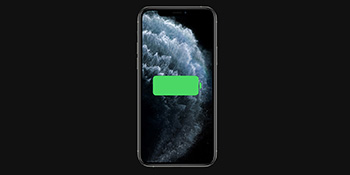
Regularly checking battery information can only help us understand the battery’s degradation and cannot extend the life of the battery. In fact, the battery can also be maintained, but you

Regularly checking battery information can only help us understand the battery’s degradation and cannot extend the life of the battery. In fact, the battery can also be maintained, but you

Lorsque vous achetez un iPhone ou un iPad, il est livré avec une capacité de stockage spécifique pour stocker vos applications, votre musique, vos photos et d'autres contenus. En outre, vous recevez gratuitement 5 Go d'iCloud

Discover expert tips to optimize iPhone 13 Pro Max performance and make the most of its stunning 120Hz screen refresh for professionals.

De nombreux utilisateurs rencontreront des problèmes lors de l'utilisation de l'iPhone 12. Par exemple, il n'y a pas de son lors des appels téléphoniques. Quelle est la cause de ce problème et comment le résoudre ?

Protecting the content of your iPhone’s memo is essential to ensure your privacy. In this guide, we will walk you through the steps to set a password or enable Face

The iOS 14.6 brings a lot of new features, but many users reported excessive battery drain and overheating issues. Why does it happen and how to solve the problem? Let’s check

When using iPhone, users may come across screen-related issues. Below are some common problems that can be fixed manually: The display suddenly becomes dark. There are two reasons why the

iPhone 8 and older models with Touch ID can add multiple fingerprints to unlock, so you can add other people’s fingerprints to unlock your iPhone. For the iPhone X and

The “Find My” app is a quintessential tool for Apple users, enabling them to locate their Apple devices connected to their Apple ID. With the release of iOS 15, Apple

When using the phone, the brightness suddenly dims, but the brightness display is already the highest. What has caused the phenomenon? Let’s take a look at the solution! iPhone 12

In iOS 14 and updated systems, users can go to iPhone Settings – Accessibility – Display & Text Size. Pull down to the bottom to turn on the “Auto-Brightness”, which

The OLED screen and the LCD screen are the current two different screens for iPhone. The most important difference between the two is how they emit light. The LCD screen