

Pendant des années, les écrans de rechange Samsung ont souvent été associés à une mauvaise qualité d'affichage, à des fonctions manquantes et à des performances peu fiables. De nombreux ateliers de réparation les considéraient comme des solutions d'urgence à bas coût plutôt que comme des alternatives sérieuses aux écrans OEM.
Grâce aux avancées dans la fabrication des OLED, l'ingénierie des panneaux et les chaînes d'approvisionnement après-vente, les écrans de rechange Samsung sont aujourd'hui devenus des solutions de réparation très performantes pour différents scénarios commerciaux. Pour les ateliers de réparation, les distributeurs, les installations de remise à neuf et les entreprises de rachat, il est essentiel de comprendre les différences entre les grades d'écrans.
Dans cet article, nous décortiquons l'évolution des écrans tiers de Samsung — des écrans LCD Incell basiques aux écrans OLED avancés 1:1 — et expliquons quelle option convient le mieux aux différents besoins et budgets de réparation.
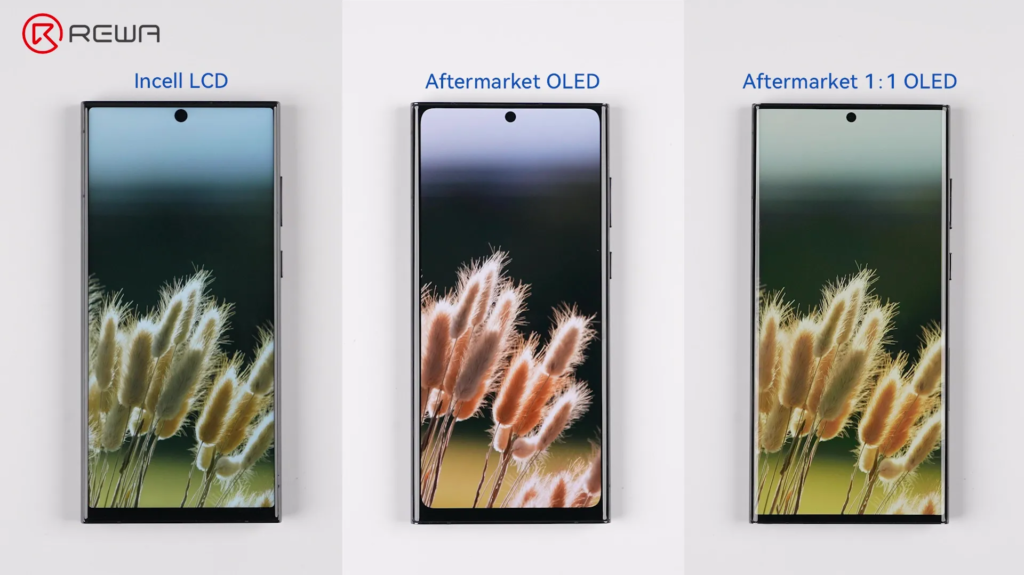
Option de réparation économique : Écrans LCD Incell
Le plus ancien grand public Écrans tiers Samsung l'accent étant mis principalement sur l'abordabilité et la restauration des fonctionnalités. Pour de nombreux scénarios de réparation, les écrans LCD Incell servent encore aujourd'hui un objectif important.
Utilisé couramment pour :
- Réparations économiques
- Récupération de données
- Remplacement temporaire
- Préparation à la revente à bas coût
Cependant, leurs limites sont claires en raison de la structure fondamentale des écrans LCD. Contrairement aux panneaux OLED, les écrans LCD Incell ne peuvent pas prendre en charge les pixels auto-émissifs. Par conséquent :
- Les vrais noirs apparaissent grisâtres
- L'efficacité énergétique est plus faible
- Le contraste de performance est plus faible
- La fonctionnalité AOD devient limitée ou indisponible
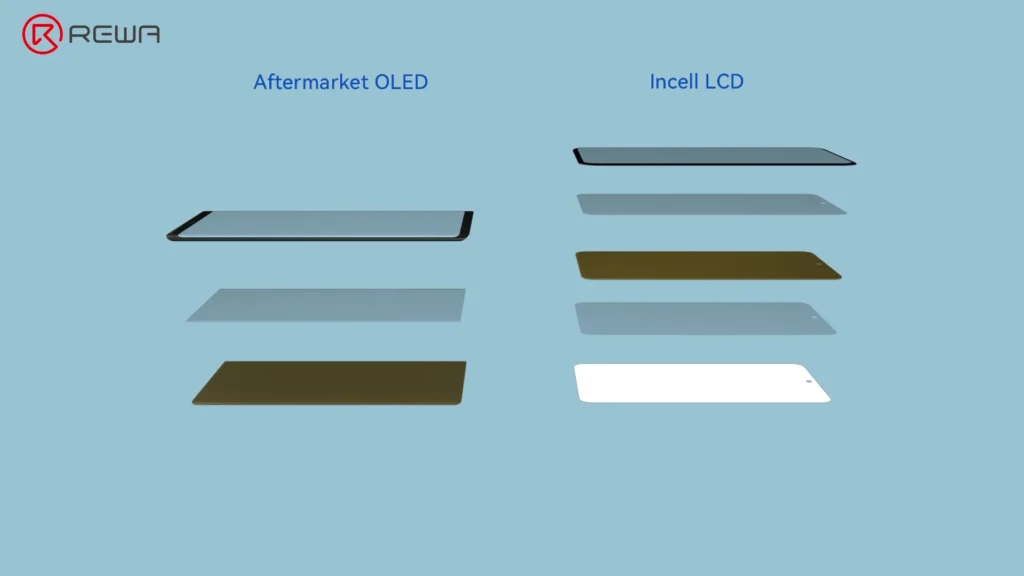
Plus important encore, les structures Incell ne peuvent pas supporter correctement la technologie de capteur d'empreintes digitales sous l'écran de Samsung. C'est l'un des plus gros compromis pour les utilisateurs habitués aux appareils phares de Samsung.
La construction physique est un autre défi. En raison des limitations de l'encapsulation des circuits intégrés et de la conception des panneaux, les écrans LCD Incell présentent souvent :
- Bords plus larges
- Mentons plus épais
- Zones de visualisation plus petites
- Ajustement de monture moins précis
Option de réparation courante : Écrans OLED de seconde monte
Alors que la demande du marché augmentait, le secteur des pièces de rechange a atteint un tournant majeur : l'essor des écrans OLED de rechange. Cette génération a considérablement amélioré la qualité visuelle et la compatibilité des fonctionnalités.
Parce que la technologie OLED imite étroitement l'architecture d'affichage des OEM, ces écrans offrent des améliorations majeures en termes de :
- Profondeur noire
- Luminosité et contraste
- Saturation des couleurs et gamme de couleurs
- Capteur d'empreintes digitales sous l'écran
- Réactivité du S Pen
- Fonction du capteur de lumière ambiante

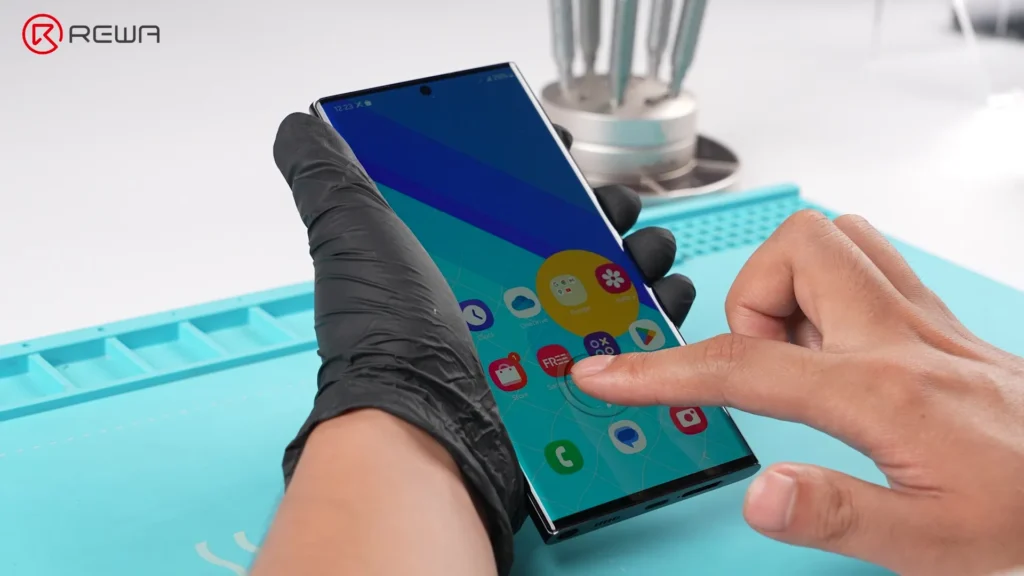

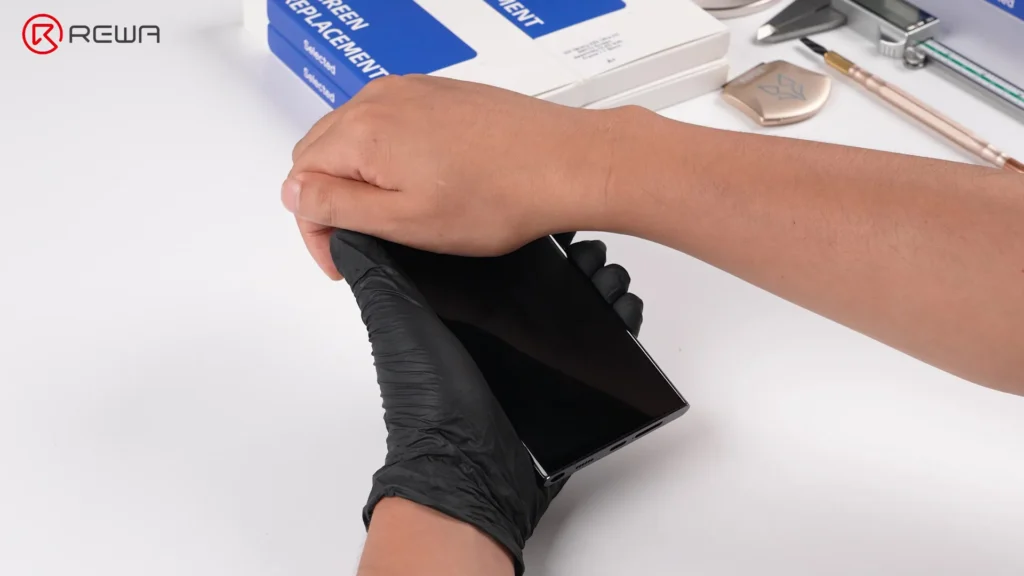
Pour les clients en réparation, l'expérience semble immédiatement plus “premium”, tandis que les écrans OLED sont devenus le juste milieu entre performance et coût.
Cependant, les premières générations d'OLED de seconde monte présentaient encore un compromis notable : la visualisation zone.Par rapport aux écrans Samsung d'origine, cela a légèrement réduit la zone de visualisation active et créé des différences visuelles subtiles autour des coins et des bords.

Idéal pour :
- Entreprises de réparation grand public
- Réparations d'appareils milieu à haut de gamme
- Clients souhaitant une fonctionnalité d'origine
- Magasins privilégiant la valeur et la fiabilité
Option de réparation premium : Écrans OLED 1:1 de seconde monte
Alors que la technologie du marché secondaire a mûri, les fabricants ont recherché un nouvel objectif : obtenir une expérience visuelle digne des équipements d'origine (OEM), ce qui a conduit au développement de la dernière innovation : les écrans OLED 1:1 du marché secondaire.
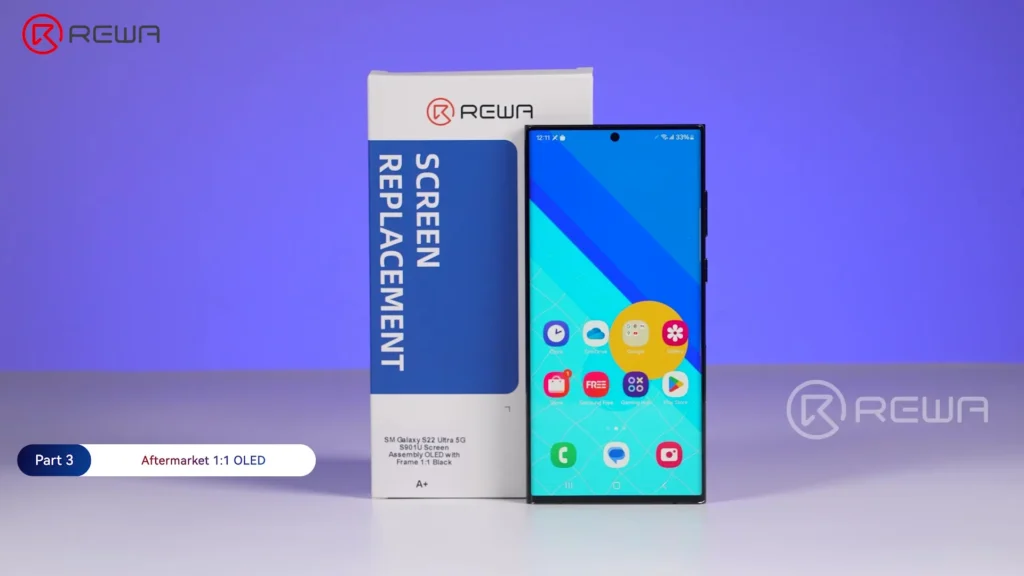
Contrairement aux générations antérieures d'OLED, ces panneaux sont dotés de :
- Mentons plus étroits
- Zones de visualisation 1:1 réelles
- Structures d'angle droit parfaites
- Proportions de bordure similaires à celles d'origine
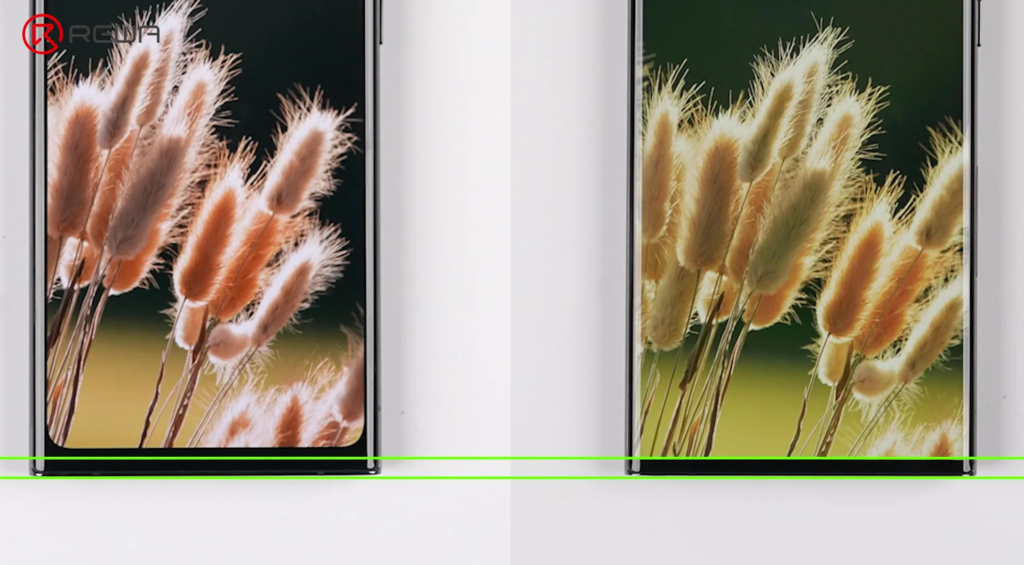
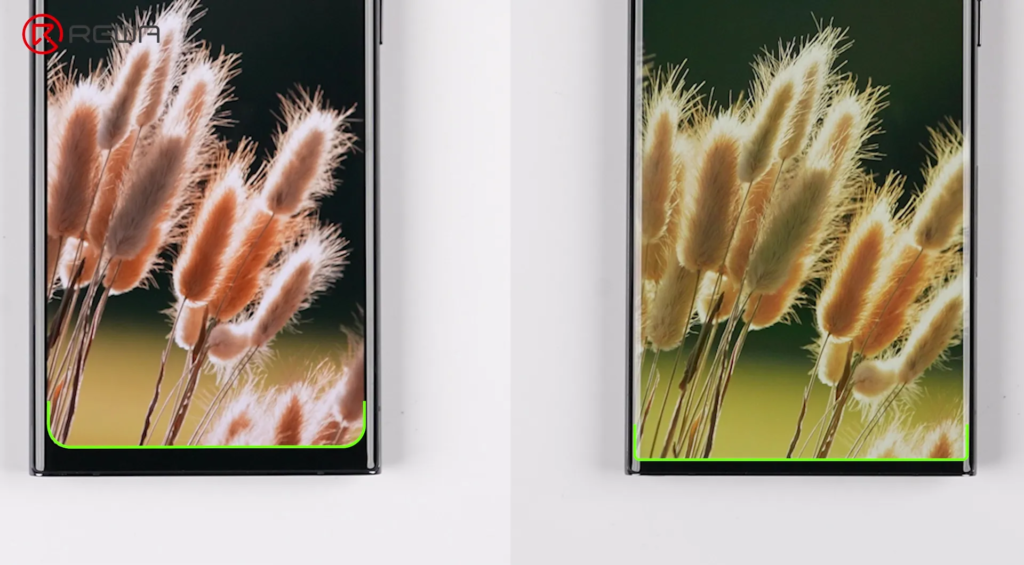
Selon les tests de REWA Lab, le dernier tiers 1:1 Écrans OLED ne présenter quasiment aucune différence notable par rapport aux écrans OEM dans des domaines tels que :
- Capteur d'empreintes digitales sous l'écran
- Sensibilité à la pression du S Pen
- Performance de l'affichage
- Capteur de lumière ambiante
Pour les professionnels de la réparation, cela représente une évolution majeure dans la technologie des écrans de remplacement. Bien sûr, les nouvelles technologies ont des coûts de fabrication initiaux plus élevés. Cette génération d'écrans OLED coûte plus cher que les précédentes.
Idéal pour :
- Utilisateurs haut de gamme de Samsung
- Clients sensibles à la qualité de l'affichage
- Entreprises de remise à neuf professionnelles
- Ateliers de réparation visant des résultats similaires à ceux des équipementiers d'origine
Comment choisir le bon écran de remplacement Samsung
Différents scénarios de réparation nécessitent différentes solutions. Il n'existe pas d'option “meilleure” universelle.
Voici une comparaison simplifiée :
Comparaison des écrans de rechange Samsung pour les séries S et Note
| Collection | Occasion constructeur | REWA Sélectionné 1:1 OLED souple | REWA Sélectionné Marché Secondaire OLED | Autres sur le marché |
|---|---|---|---|---|
| Taille d'affichage | Original | Original | Proche OEM | Petite Taille |
| Panneau d'affichage | OLED souple | OLED souple | OLED souple | Écran LCD à technologie Incell |
| Performance d'affichage | Haute luminosité, Large gamme, pas de décalage de couleurs | Haute luminosité, gamme plus large, Saturation riche | Haute luminosité, gamme plus large, Saturation riche | Diminuer la luminosité, Ton de couleur frais |
| Impact de la batterie | Faible | Moyen | Moyen | Haut |
| Ajustement et finition | 1:1 Coupe Proche; Lunette OEM | Excellent ajustement; Lunette proche de l'origine | Super ajustement ; Bord étroit | Des fuites de lumière peuvent exister ; Bord épais |
| Résolution | FHD | FHD | FHD | HD |
| Taux de rafraîchissement | 120Hz | 90Hz | 90Hz | 60Hz |
| Réponse tactile | Réponse rapide; Prend en charge le S Pen | Réponse proche de l'OEM ; Prend en charge le S Pen | Réponse proche de l'OEM ; Prend en charge le S Pen | Réponse parfois retardée ; S Pen saccadé |
| Modèles compatibles | Limité | Limité | Grand public | Sélectif |
| Stabilité d'approvisionnement | Contraint | Stable | Stable | Variable |
| Niveau de prix | Haut et instable | Légèrement élevé | Moyen et stable | Faible, mais plaintes de clients élevées |
| Cas d'utilisation cible | Expérience OEM, revente premium et réparation de haute qualité | Taille d'écran OEM 1:1, alternative fiable au soft OLED | Performances d'affichage OEM, Remplacement d'OLED économique et stable | Aucun écran OEM & toucher a besoin |
| Note globale | ☆☆☆ | ☆☆☆☆ | ☆☆☆☆☆ | ☆☆ |
Foire aux questions
Quelle est la différence entre les écrans LCD Incell et OLED ?
Les écrans LCD In-cell utilisent la technologie LCD avec rétroéclairage, tandis que les écrans OLED utilisent des pixels auto-émissifs. L'OLED offre de meilleurs noirs, un contraste plus élevé et une meilleure compatibilité avec les fonctionnalités phares de Samsung.
Pourquoi la reconnaissance d'empreintes digitales sous l'écran ne fonctionne-t-elle pas sur certains écrans de remplacement ?
La plupart des structures LCD Incell ne peuvent pas prendre en charge la technologie d'empreintes digitales optiques sous l'écran de Samsung en raison de limitations structurelles.
zone de visualisation 1:1
Cela signifie une structure d'affichage conçue pour correspondre à la taille d'affichage active et aux proportions des bordures de l'écran OEM.
Les écrans OLED du marché secondaire sont-ils suffisants pour un usage quotidien ?
Oui. Les écrans OLED modernes du marché secondaire offrent désormais une excellente qualité d’affichage et prennent en charge de nombreuses fonctionnalités Samsung d’origine, ce qui les rend adaptés aux utilisateurs quotidiens.
Pourquoi les écrans OLED 1:1 sont-ils plus chers ?
Ils nécessitent un traitement du verre de plus haute précision, une ingénierie de panneau améliorée et des normes de fabrication plus avancées.
Quel écran de remplacement est le meilleur pour les ateliers de réparation ?
Cela dépend du budget et des attentes du client. La plupart des ateliers de réparation bénéficient de l'offre de plusieurs gammes, notamment des écrans LCD Incell économiques, des OLED grand public et des OLED premium 1:1.
Conclusion :
Des écrans LCD In-cell de base aux panneaux OLED avancés 1:1, l'industrie du marché secondaire réduit rapidement l'écart avec les normes des équipementiers grâce à l'innovation continue des matériaux et aux améliorations techniques.
REWA a sélectionné chaque niveau d'écran décrit ci-dessus sur le Boutique en ligne REWA.Et elle a également obtenu le certificat CE. En tant que partenaire mondial de la chaîne d'approvisionnement de réparation, chaque écran individuel subit des procédures d'inspection rigoureuses à l'entrée et à la sortie par REWA pour s'assurer qu'il répond aux exigences strictes de REWA. Normes de contrôle de la qualité.
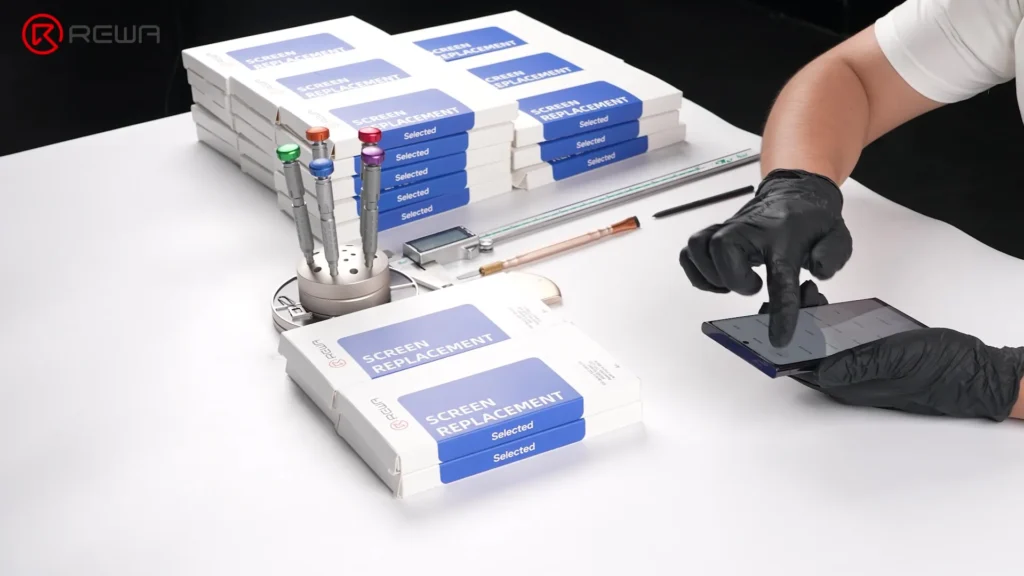
Au cours de ces 18 années, nous nous sommes engagés à dynamiser votre entreprise de réparation avec des produits fiables et de qualité supérieure, ainsi que des solutions clients sur mesure. Si vous avez des questions, n'hésitez pas à nous contacter.

 English
  Español
  Français
  Deutsch
  Italiano